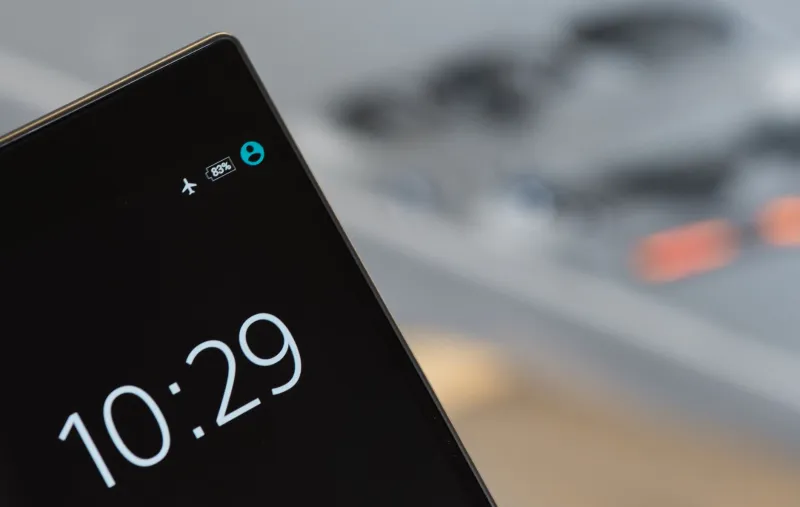
The Basement Test: What 25 UK Apps Did When the Bars Vanished

Photo: Bhullargraphic, CC BY-SA 4.0, via Wikimedia Commons
On a wet Saturday in November 2026, I did something no app store screenshot prepares you for: I switched on airplane mode in a basement supermarket and walked the aisles with a trolley. No bars. No spinner. Just me, a list, and a growing suspicion that half the apps on my phone are fair-weather friends.
That was the first stop in a small offline field test. Over two weeks I carried two phones on different UK networks through four ordinary awkward places: a basement supermarket in Leeds, a dead spot on a Cornish lane, a train tunnel outside Bristol, and a festival queue in the rain. I tested 25 everyday apps. Not for download speed, not for flashy features, and definitely not for how nice their onboarding screens look. I tested what happens when the network disappears.
The test: less download, more dead air
The rules were simple. Each app got the same jobs: open it, find the useful bit, try to complete one realistic task, then see whether it failed honestly or quietly made things worse. I used airplane mode where I wanted a clean test, and real dead spots where I wanted the mess of real life. I did not count a feature as offline-friendly just because the app said it had an offline mode. It had to work after a force quit, in a basement, with no special treatment.
The useful distinction turned out to be not online versus offline, but prepared versus unprepared. Some apps had already put the important thing on the phone: a map, a ticket, a downloaded album, a saved card, a cached balance. Others opened a beautiful shell and then asked for a connection like a lost tourist asking for directions.
The winners: apps that had already done the work
The best performers were boring in the best way. Apple Maps with a downloaded area kept routing. Google Maps with an offline map did the same. Neither was perfect, but both understood the assignment: if the signal is gone, the map should still be a map. Spotify, BBC Sounds, Netflix and Kindle all behaved well once the downloads were actually downloaded. That sounds obvious, but you would be surprised how many people assume a saved playlist is available until a tunnel reminds them otherwise.
WhatsApp and Signal were useful in a limited way. Cached messages stayed readable, and I could draft a reply, but sending waited for a signal. That is a graceful failure. It tells you where you stand. The same went for a few banking apps: some showed a cached balance and then blocked anything meaningful. Annoying, but honest. In a basement aisle, honest is worth more than clever.
The graceful failures: annoying but honest
A good offline failure is not a victory. It is a clear no. National Rail and Trainline were patchy unless the ticket or journey was already saved. Citymapper had saved routes but no live times. Several supermarket loyalty apps showed a card if it had been cached, but fresh coupons and basket features were a lottery. Lidl Plus and Sainsbury's fell into that category: useful if you had prepared, frustrating if you had not.
The delivery apps were predictably useless without signal. Deliveroo and Just Eat could show a past order, but ordering in a dead spot was not happening. Uber was the same story. These are not moral failings. They are live-service apps doing live-service things. The problem is when they pretend otherwise, or when the failure screen gives you no clue whether your basket survived.
The quiet data losers: the ones that smile and drop your basket
The worst behaviour was not the red error message. It was the app that let you tap through, look busy, and then lose the lot. I saw this pattern with a parking app that accepted a session and only failed at payment, a parcel app that showed stale tracking as if it were live, and a couple of retail apps that kept a basket looking healthy until the connection came back and revealed it had not saved properly.
That is the offline sin that matters. A clear no lets you change plan. A silent maybe wastes your time and, in a car park or a train queue, your money. If an app cannot work offline, it should say so early and loudly. The best ones did. The worst ones made me check twice.
The scorecard: 25 apps, ranked by offline usefulness
Here is the blunt version from our test. Good means it did something genuinely useful without signal. Patchy means it worked only with preparation or showed limited cached content. Useless means it needed the network for the job at hand.
| App | Offline score | What happened |
|---|---|---|
| Apple Maps | Good | Downloaded area kept routing |
| Google Maps | Good | Offline map worked after force quit |
| Spotify | Good | Downloaded playlists played |
| BBC Sounds | Good | Downloaded programmes played |
| Netflix | Good | Downloaded episodes played |
| Kindle | Good | Downloaded books opened |
| Patchy | Cached chats readable, sending waited | |
| Signal | Patchy | Cached messages only |
| Monzo | Patchy | Cached balance, no payments |
| Starling | Patchy | Cached balance, limited actions |
| Revolut | Patchy | Some cached data, no live transactions |
| Tesco Clubcard | Patchy | Cached card sometimes, coupons unreliable |
| Sainsbury's | Patchy | Loyalty card patchy, basket unreliable |
| Lidl Plus | Patchy | Card showed if cached |
| Citymapper | Patchy | Saved journeys, no live times |
| Trainline | Patchy | Saved ticket only |
| National Rail | Patchy | Saved journey only |
| Evri | Patchy | Stale tracking, no live updates |
| NHS App | Patchy | Cached details, no fresh actions |
| Barclays | Useless | Needed connection for real tasks |
| Uber | Useless | No booking without signal |
| Deliveroo | Useless | No ordering offline |
| Just Eat | Useless | No ordering offline |
| RingGo | Useless | Parking session needed signal |
| PayByPhone | Useless | Payment flow failed without network |
What this means for your home screen
The lesson is not to delete every app that needs a connection. It is to know which ones have done the homework. Before you go anywhere with a questionable signal, download the map, save the ticket, cache the playlist, screenshot the loyalty card, and check whether your parking app can start a session without a live connection. If it cannot, have a backup plan that does not involve standing in the rain refreshing a spinner.
Offline reliability is a quiet feature. It does not sell phones and it rarely gets a launch event. But it is the difference between a useful tool and a small glass rectangle that shrugs at you in a basement. After a fortnight of dead spots, I am less interested in what an app can do with five bars and more interested in what it does when the bars vanish. That is where the good ones earn their place on the home screen.