Lost Phone, Cold Sweat: A Two-Factor Recovery Audit of Twenty UK Apps

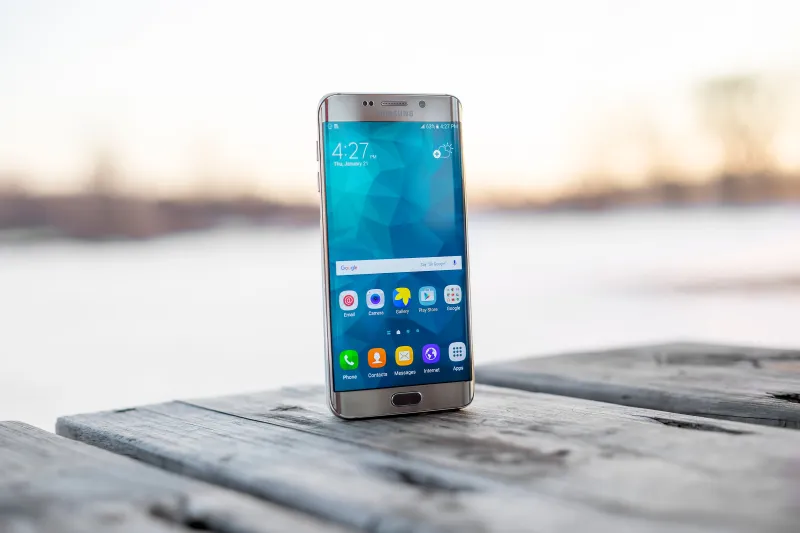
Photo: Hypnotica Studios Infinite, CC BY 2.0, via Wikimedia Commons
Losing a phone is not the disaster. The disaster is the hour afterwards, when every app you own decides you are a stranger. At 124apps we have spent 2026 poking at the bits of British app life that rarely make the launch-day blog post. For this field test we borrowed the scenario everyone dreads: a phone left on the 73 bus, a replacement handset, and no access to the old device or its authenticator seeds. We used a new SIM with the same number where possible, then repeated the exercise with the old number unavailable. We timed from tapping the app icon to reaching something useful. Call-centre queues counted. No saved sessions, no insider help. Here is what twenty everyday UK apps did.
How we tested
The test phone was a mid-range Android handset bought outright, because that is what most of us would do in a hurry. We installed each app fresh, signed in with the same email address and password, and followed whatever second factor the app demanded. Where a recovery code or backup was offered, we had not set it up. That is the point: most people have not. We also noted whether the app needed the old mobile number, because a lost phone often means a lost SIM and a fight with a network provider.
The quick wins: email links and passkeys
A handful of apps treated the phone as a device rather than a personality test. Trainline let us back in with an email magic link in four minutes. Citymapper took five. Octopus Energy took eight. Uber, Deliveroo and Just Eat were slower because they still wanted an SMS code, but they offered an email fallback when the old number was gone. Amazon UK and Tesco asked for a password plus an email code, which felt like a sensible lock rather than a maze.
Argos was the surprise: an email link plus a card check, fourteen minutes, no drama. None of these apps are perfect. Email is not a magic wand. But they understand that a replacement phone is normal, not suspicious.
The banking middle ground: selfies, card PINs and patience
Monzo asked for the card PIN and a short selfie video. Eighteen minutes, including the video retake where the kitchen light was not kind. Starling took twenty-two minutes and a call to a very patient human. Revolut took twenty minutes with a selfie and an SMS code, then twenty-nine minutes when the old number was unavailable.
This is the awkward middle. It is more secure than a text message, and it is workable if your debit card was not in the phone case that went missing. If it was, you are in for a longer afternoon. The lesson is not that banks are bad at this. It is that your recovery plan needs to include the physical card, not just the phone.
The old-number trap
WhatsApp took three minutes with the same number restored. With the old number gone, it took no minutes at all, because there was no route. Signal was the same: two minutes with the number, a dead end without it. Both apps are honest about this, but honesty does not help when your SIM is in a bin somewhere in south London.
The old-number trap is the most common lockout in Britain. We treat a mobile number as a permanent address, but it is more like a hotel key. If you know a number change is coming, change it inside the app first. If you do not, keep a backup number on the account where the app allows it. WhatsApp and Signal have added email and passkey options in recent years, but they are not universal and they are not a substitute for the number in every case.
The authenticator cul-de-sac
Google Authenticator is the spare key that only works if you kept the door. Without cloud sync or exported codes, we could not recover the seeds. We reset accounts one by one, which took over an hour and a lot of patience. Microsoft Authenticator was fine because we had enabled cloud backup to a personal Microsoft account. Without that backup, it would have been the same story.
Gov.uk One Login was its own puzzle. With printed recovery codes it took thirty-five minutes. Without them, the identity check was longer. HMRC and DVLA sit behind that gate, so it is worth setting up the recovery codes before you need them. The government service is not trying to be difficult. It is trying to be careful. But careful and quick are not the same thing.
The call centre tax
Barclays took forty-seven minutes, mostly on hold, then a series of card and account checks. British Gas took thirty-eight minutes. DVLA took thirty minutes through Gov.uk One Login. The humans were helpful. The process was not. This is the tax you pay when recovery is designed around fraud prevention first and customer convenience second. It is a reasonable trade-off, but it is still a tax.
The table
| App | Sector | Recovery route | Same number | Old number gone |
|---|---|---|---|---|
| Trainline | Rail | Email magic link plus password | 4 min | 4 min |
| Citymapper | Transport | Email magic link | 5 min | 5 min |
| Octopus Energy | Utilities | Email magic link | 8 min | 8 min |
| Uber | Transport | SMS code plus email fallback | 6 min | 12 min |
| Deliveroo | Food | SMS code plus email fallback | 7 min | 15 min |
| Just Eat | Food | Email link plus SMS | 9 min | 16 min |
| Amazon UK | Retail | Email code plus password | 11 min | 11 min |
| Tesco | Retail | Email code plus password | 12 min | 12 min |
| Argos | Retail | Email link plus card check | 14 min | 14 min |
| Monzo | Banking | Card PIN plus selfie video | 18 min | 18 min |
| Starling | Banking | Selfie video plus call | 22 min | 22 min |
| Revolut | Banking | Selfie plus SMS | 20 min | 29 min |
| Barclays | Banking | Call centre plus card checks | 47 min | 47 min |
| British Gas | Utilities | Call centre | 38 min | 38 min |
| Gov.uk One Login | Government | Authenticator, text or recovery codes | 35 min | 35 min |
| DVLA | Government | Gov.uk One Login | 30 min | 30 min |
| Messaging | SMS code | 3 min | Fail | |
| Signal | Messaging | SMS code plus PIN | 2 min | Fail |
| Google Authenticator | Security | No built-in recovery | Fail | Fail |
| Microsoft Authenticator | Security | Cloud backup | 15 min | 15 min if backup |
The plain-English checklist
- Turn on cloud backup for your authenticator app, or export the recovery codes and keep them somewhere that is not the phone.
- Save the recovery codes for your bank, email and government account in a password manager and on paper in a drawer.
- Add a backup phone number and a backup email address that are not tied to the same SIM.
- Set up two devices for your authenticator where the app allows it. A tablet in the kitchen counts.
- Keep your debit card out of your phone case. You will need it for at least one banking recovery.
- Before you change networks or travel, check which apps still rely on SMS and move them to an app or passkey if you can.
- Test one recovery route now, while you have the old phone. It is better to find the dead end on a Sunday afternoon than on a Monday morning.
- Write down your customer numbers and account references somewhere offline. Call centres ask for them first.
The best two-factor setup is the one you can undo without a phone. It will not make a lost handset fun. It will make the hour afterwards a lot less like a maze.